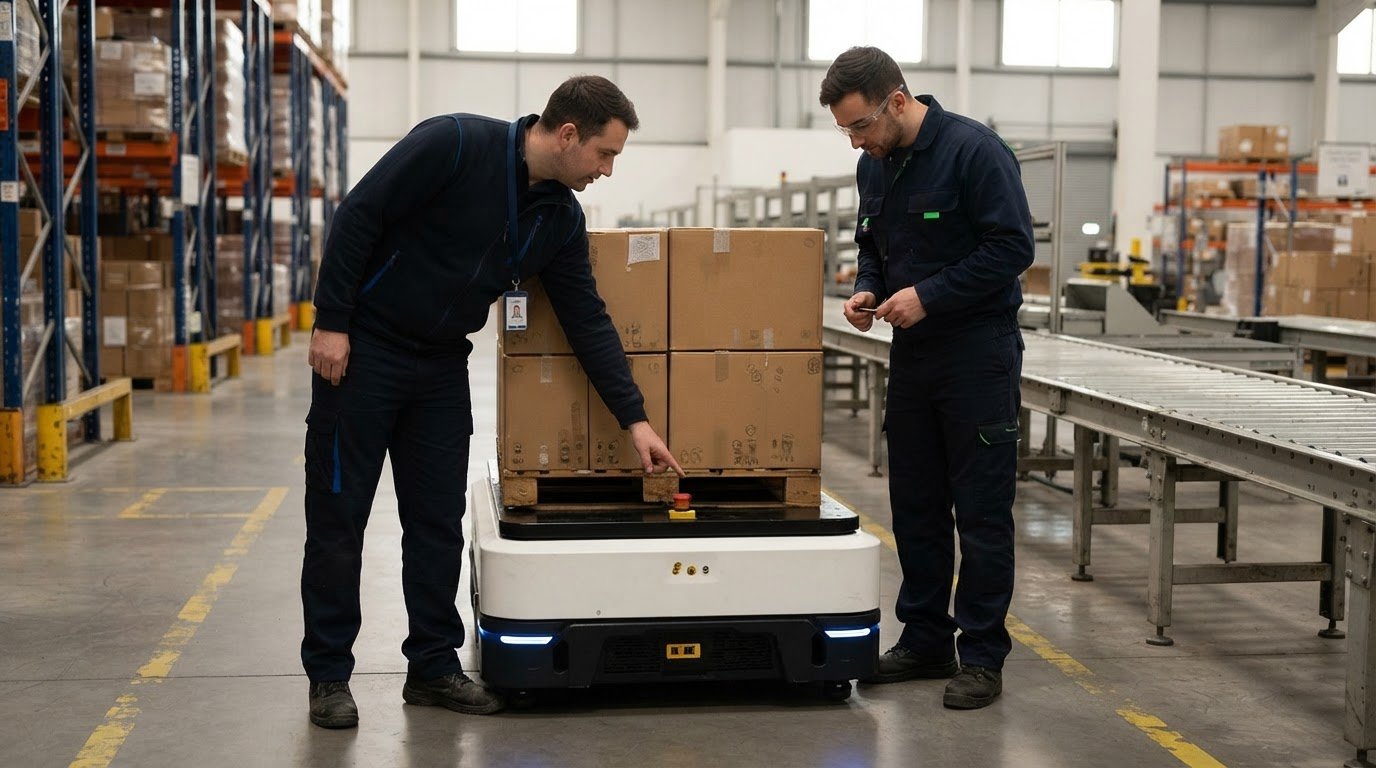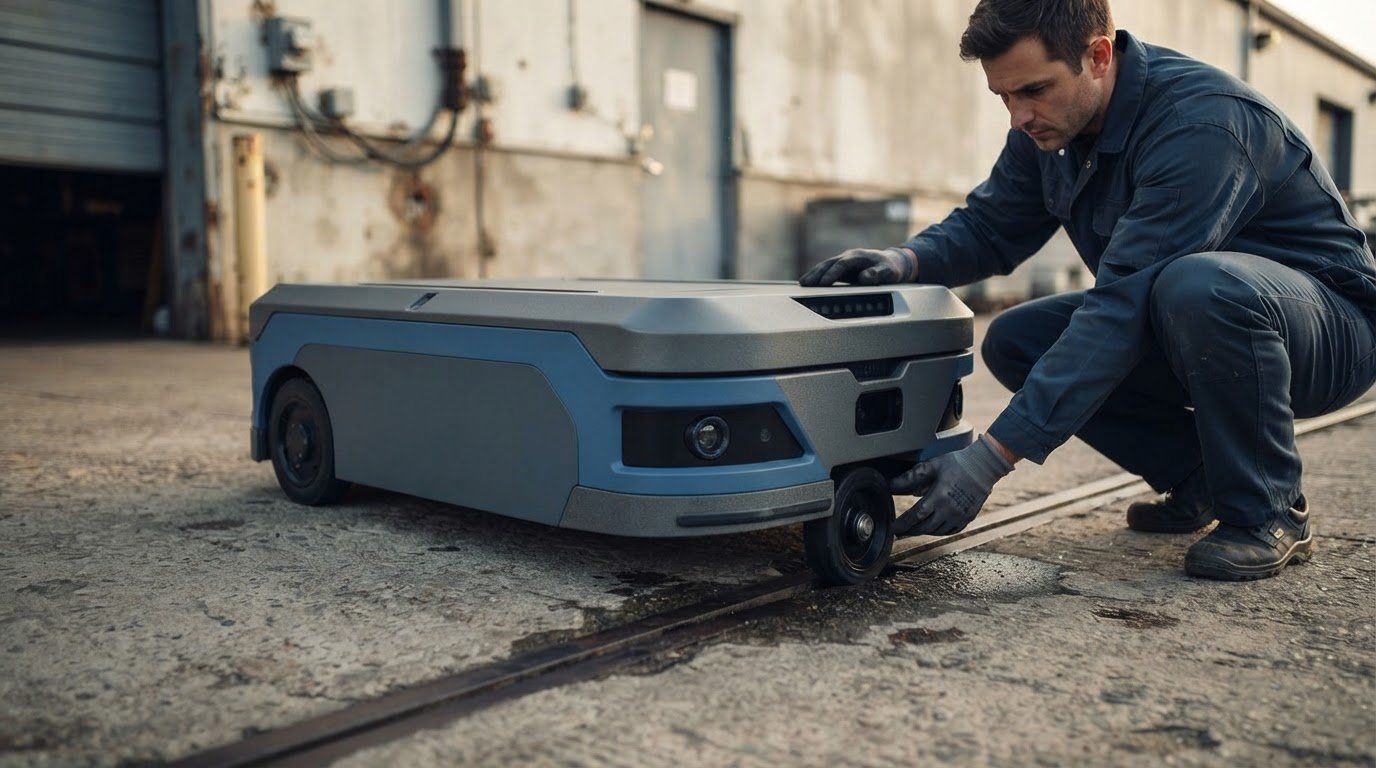
A robot fault calls for a clear diagnosis and a practical next step. Robotics technical support can help identify the issue, guide troubleshooting, and determine whether repair or an RMA request is appropriate.
When a system stops or behaves unpredictably, you need more than a list of possible causes. You need to know what information to provide, how support can assess the fault, and which contact channel to use. This guide explains how to prepare a support request and what to expect when seeking help by phone, chat, or email.
You’ll also learn how repair and RMA eligibility is assessed, which details can move troubleshooting forward, and when technical assistance is the right next step. The aim is a more orderly response: clarify the symptoms, share relevant system information, and understand the path to resolution.
Key Takeaways
- Identify the operational details and symptoms that help support teams assess a robot fault more efficiently.
- Understand how system design, installation, servicing, and upgrades fit into factory automation support.
- Learn what information can help determine repair eligibility and guide an RMA request.
- Choose whether phone, chat, or email is the most practical channel for explaining the issue and receiving troubleshooting guidance.
Need Robot Support?
Factory robot support spans system design, installation, service, and upgrades, shaping production flow at each stage. Connected services and remote access can help assess faults. Robotics technical support may begin remotely or require onsite diagnosis.
Maintenance Contracts and Repair Services
A maintenance contract defines planned tasks, covered robots, and repair arrangements. Match its scope to each cell’s production role. A welding cell, for example, may need scheduled inspection and repair provisions. Factory repair suits equipment that can be serviced at the facility, while onsite repair addresses faults requiring work on the installed system. For upgrades, clarify responsibility for design changes, installation, and handoff.
Field Diagnosis and Repair
Field diagnosis starts by documenting the fault, when it occurs, and which robot or cell is affected. A technician can assess alarms, controller status, and operating conditions to narrow the cause. Remote access may support initial analysis, while physical inspection can help assess mechanical or electrical faults. Provide the robot model, controller details, recent changes, and exact alarm message for a focused assessment.
Manufacturer and Third-Party Support
Manufacturer support brings direct familiarity with its robot models, controllers, and service documentation. Third-party support may cover multiple manufacturers, which can suit mixed-automation environments. The right fit depends on experience with the specific robot, configuration, and fault. Compare the support scope and technical expertise available. For example, a controller issue after an upgrade may require knowledge of that model and its integration.
Support Costs and Safety Risks
In the United States, support cost depends on the fault, expertise, travel, parts, and remote or onsite work; pricing follows a quote request. Troubleshooting can expose workers to unexpected motion, electrical hazards, or stored mechanical energy. Keep people outside the work area and follow site safety procedures before inspection or repair. The service plan should also clarify which work requires onsite attention.
Robotics technical support and troubleshooting
Effective troubleshooting turns a robot fault into a structured diagnostic process. Engineers use system symptoms, controller information, and operating context to determine the next action.
Engineer-Led Troubleshooting
Trained engineers begin with the reported symptom, affected equipment, and operating sequence. For example, an intermittent stop during a pick-and-place cycle calls for a different investigation than a robot that fails to start. The engineer reviews alarm details and recent process changes to narrow the fault.
Next, support can distinguish a control issue from a mechanical, electrical, or integration problem. Share the robot model, controller type, alarm text, and when the fault occurs. These details help the engineer assess whether the next step is a guided check, remote review, or onsite diagnosis.
During troubleshooting, follow the facility’s safety procedures and avoid actions that could trigger unexpected movement. Record each observation in sequence, including whether the fault repeats after a restart or appears only during a specific task.
Remote Troubleshooting
Remote troubleshooting can help assess faults without an initial site visit. The process may involve a live discussion, controller information, alarm records, or a view of the affected system. A clear description of the fault and its operating conditions gives the engineer context for interpreting the available information.
Prepare a concise incident sequence: what the robot was doing, what changed, and what message appeared. For example, an alarm that follows a tool change points the investigation toward that recent change. Remote assessment can guide safe observations and identify whether physical inspection is needed.
Manage remote access through the facility’s authorized process. The support team and site personnel need to coordinate access, confirm which system is in scope, and keep the production team informed about diagnostic actions.
Whether the issue involves a single robot or an integrated cell, document the fault and the steps already taken. This creates a useful handoff between remote analysis and any field work. For a structured next step, explore robotics troubleshooting support.
Repair eligibility and RMA requests
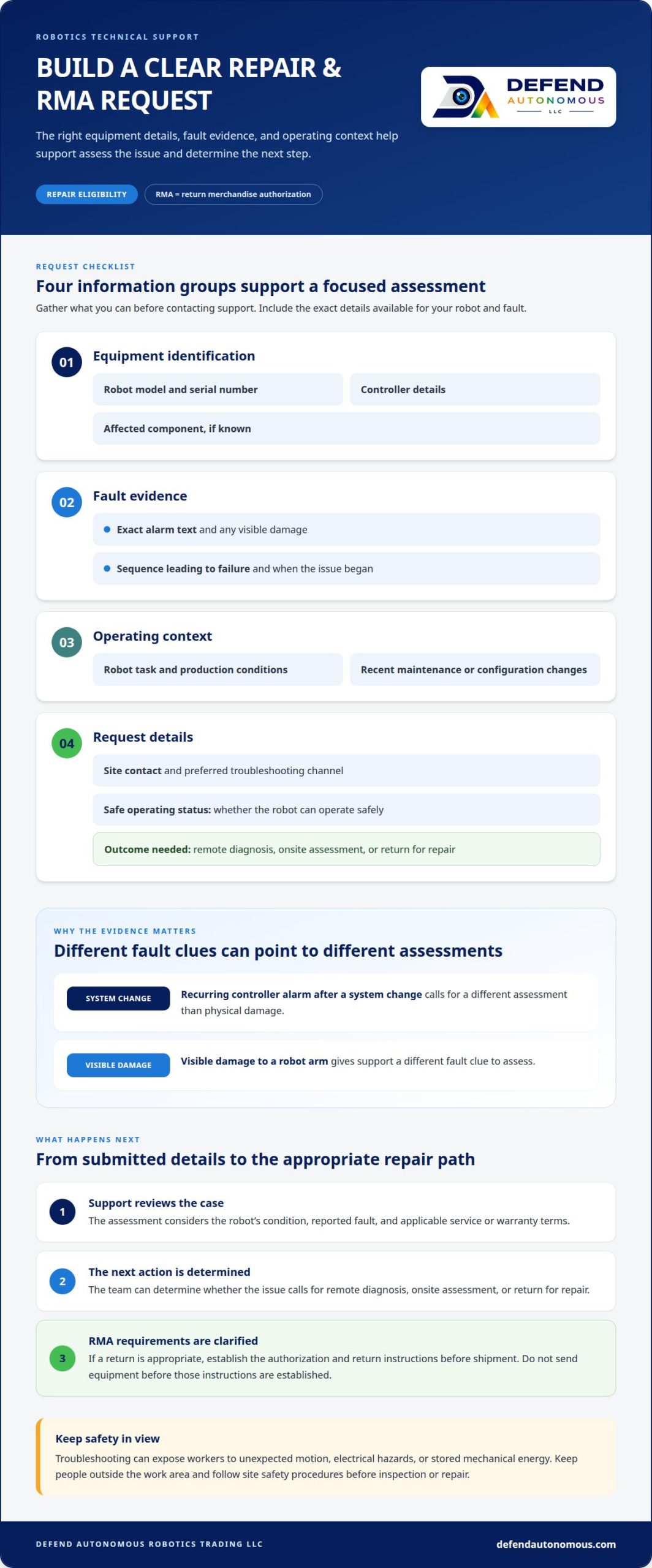
Repair eligibility depends on the robot’s condition, the reported fault, and applicable service or warranty terms. An RMA, or return merchandise authorization, provides a process for arranging an equipment return when that route is approved.
For a robotics support request, provide the robot model and serial number, controller details, fault description, alarm messages, and your contact information. Include when the issue began, what operation was running, and any recent system changes.
- Equipment identification: Model, serial number, controller, and affected component.
- Fault evidence: Exact alarm text, visible damage, and the sequence leading to failure.
- Operating context: Robot task, production conditions, and recent maintenance or configuration changes.
- Request details: Site contact, preferred troubleshooting channel, and whether the robot can operate safely.
These details help support teams distinguish a repairable component fault from an integration or configuration issue. For example, a recurring controller alarm after a system change calls for a different assessment than visible damage to a robot arm. Repair eligibility can also depend on the equipment’s condition and the terms governing service or warranty coverage.
Submit the information with a clear description of the outcome you need: remote diagnosis, onsite assessment, or return for repair. The support team can review the case, determine the appropriate repair path, and explain whether an RMA is required before shipment. Don’t send equipment until the return instructions and authorization process are established.
Keep a copy of the case details and any correspondence with the equipment. If the fault changes, record the new alarm or behavior and add it to the existing request. A consistent record connects the initial diagnosis to the repair assessment and supports a more precise service handoff.
Support by phone, chat, and email
Choose the channel that best captures the fault and its urgency. A phone call supports real-time discussion, chat enables short exchanges, and email creates a written case record.
Phone Support
Use the phone when a fault needs immediate explanation or several symptoms interact. Start with the affected robot, its current status, and the exact alarm or behavior. Describe what happened immediately before the fault, such as a tool change or a new production task. Keep a site contact available to relay observations and follow the technician’s directions.
Chat Support
Chat works well for concise troubleshooting exchanges, such as clarifying an alarm message or confirming a controller display. Send one issue at a time, then answer follow-up questions directly. If the discussion involves several events or detailed system changes, summarize the sequence in writing to keep the diagnostic context clear.
Email Support
Email is useful when a case needs a structured history or supporting files. Include the robot model, controller, alarm text, fault timing, and recent system changes. Attach relevant screenshots or photographs when they help show the issue. Use a clear subject line naming the affected equipment and fault, then keep replies in the same thread.
Before contacting support, organize the request around these details:
- Equipment: robot model, controller, and affected cell.
- Symptom: alarm wording, movement, or process interruption.
- Sequence: task underway and events preceding the fault.
- Contact: site representative who can provide follow-up observations.
For example, report whether a palletizing robot stops during every cycle or only after a particular product change. That distinction helps support teams focus the discussion. If you switch from chat to email or phone, carry forward the case summary and previous troubleshooting steps. This avoids repeated explanations and gives each interaction a consistent starting point.
For assistance with an automation issue, contact robotics support and share the system details that best describe the fault.
Defend Autonomous Robotics Trading LLC: 24/7 Service,AMC, and Support
Defend Autonomous Robotics Trading LLC offers 24/7 Service, AMC, and Support for robotics and automation needs. Turn to the team when a system issue calls for technical assistance or ongoing maintenance support.
Its offerings include AMR & AGV Automation Solutions, AI Coffee & Beverage Robot, and CNC & advanced manufacturing solutions. These address distinct needs, from autonomous material movement to beverage automation and advanced manufacturing. Share the system involved, the issue, and the support you need to start a focused discussion.
Contact Defend Autonomous Robotics Trading LLC to discuss your robotics and automation requirements.
Build the Next Stage of Automation
Make support part of your automation strategy, not an afterthought. As production demands evolve, align technical assistance with the systems your operation depends on and the capabilities you plan to introduce. A focused robotics technical support plan can help teams make informed decisions about ongoing operations and future automation needs.
Defend Autonomous Robotics Trading LLC offers AMR & AGV Automation Solutions, an AI Coffee & Beverage Robot, and CNC & advanced manufacturing solutions. These offerings address different operational priorities, from autonomous movement to beverage service and advanced manufacturing. Discuss your objectives and the system requirements shaping your next step.
Contact Defend Autonomous Robotics Trading LLC to discuss your robotics and automation requirements. Clear priorities can help you move forward with confidence.
Frequently Asked Questions
What does robotics technical support include?
Robotics technical support can cover fault assessment, troubleshooting, repair coordination, maintenance, and system integration. The scope depends on the equipment and service arrangement. For example, an autonomous mobile robot may need navigation support, while a CNC automation setup may require help with machine integration. Support can also include upgrades and after-sales maintenance for deployed systems.
How do I contact technical support for a robot or robotics system?
Use the support channel available for your equipment or service agreement, and explain the fault and its operational impact. Note what the robot was doing and whether the issue affects one unit or a wider workflow. For example, distinguish a single stopped warehouse vehicle from a fleet dispatch issue. This information helps route your request to the appropriate technical team.
What are common robotics hardware and software troubleshooting steps?
First identify whether the symptom appears physical, electrical, or software-related. Record displayed alarms and indicators, then consider any recent task or configuration changes. For a software issue, compare the affected job with a previously successful cycle. For hardware concerns, follow site procedures and avoid handling components while equipment is energized. These observations can help focus further diagnosis.
What are typical robotics support plans, service hours, and response times?
Support plans may combine scheduled maintenance, technical assistance, and repair coordination. Service hours and response targets depend on the applicable agreement, so review its coverage, exclusions, escalation process, and included work. A production-critical robot may need a different maintenance approach than equipment used intermittently for internal transport. Robotics technical support arrangements should match operational priorities and system needs.
What warranty and service-contract rules apply to robotics technical support?
Warranty coverage and service-contract terms are separate, so review both before authorizing work. Check which equipment and components each covers, which services are included, and how repairs are approved. Keep purchase and maintenance records with the robot’s service history. For example, documentation of a controller replacement can help clarify the configuration being assessed during a technical support case.
How do I find local robotics repair and technical support services?
Look for support suited to your robot type, control system, and application, then determine whether diagnosis can be remote or needs a site visit. For multi-location operations, consistent technical capability may matter as much as proximity. Defend Autonomous Robotics Trading LLC supports robotics and automation systems globally, including AMR and AGV solutions, warehouse automation, and marine and subsea systems.